
 English
Dangerous Tech Support Scams: How to Spot and Avoid Them

How to Spot and Avoid Scams?
Tech support scams are one of the fastest-growing forms of cybercrime today. They are becoming increasingly harder to detect. Whether it’s a fake pop-up warning screaming that your computer has a virus, an unsolicited phone call from someone claiming to be a Microsoft technician, or a phishing email disguised as a Norton subscription renewal, these scams are designed with one goal: to steal your money, your data, or both.
In this comprehensive guide, we break down exactly how tech support scams work, the warning signs to watch for, and the critical steps you should take to protect yourself. What to do if you have already fallen victim.
What Are Tech Support Scams?
Tech support scams are a form of online fraud where criminals pose as representatives of well-known technology companies such as Microsoft, Apple, Google, or antivirus brands like Norton and McAfee to convince you that your device has a serious problem. Their goal is to trick you into paying for fake “repair” services, surrendering remote access to your computer, or handing over personal and financial information.
According to the FBI’s Internet Crime Complaint Center (IC3), tech support scams cost Americans hundreds of millions of dollars every year, with adults aged 60 and older being the most frequently targeted group. But make no mistake, these scams affect people of all ages and backgrounds around the world.
According to the INTERPOL, 70-year-old nearly lost S$380,000. In one close call, coordination between Singapore’s Anti-Scam Centre and Hong Kong police prevented a tech support scam that would have cost a 70-year-old victim S$380,000 in savings funds that were intercepted just in time. Other than that, Elderly physician scammed out of nearly US$90,000. In a federal civil case, one elderly victim was defrauded of nearly $90,000 across dozens of transactions over a seven-month period. The payments were only discovered by his son toward the end of the victim’s life. Investigators noted that scammers deliberately re-targeted victims who had already proven susceptible, circulating phone numbers of “proven” victims within fraud networks.Read more via here.
How Tech Support Scams Work
Understanding the mechanics behind tech support scams is your first line of defence. Scammers use several well-established playbooks:
1. The Cold-Call Scam
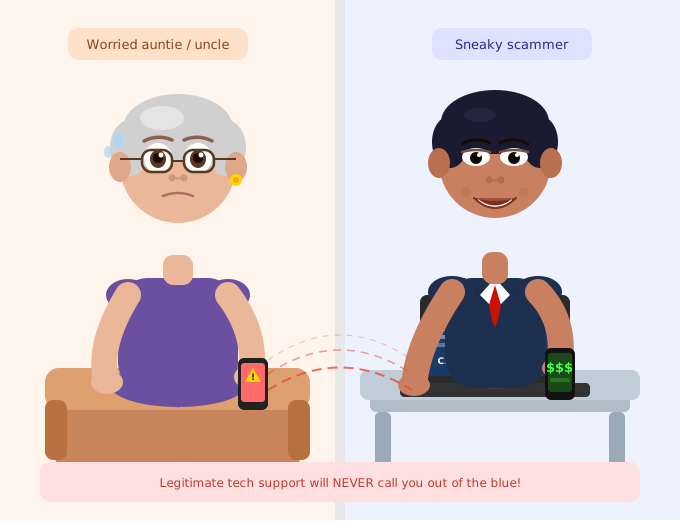
This is the classic approach. You receive an unsolicited phone call from someone claiming to be from a well-known company’s tech support team. They will tell you that your computer is sending error signals, that you have been hacked, or that your licence has expired. They may even spoof their caller ID to display a legitimate-looking phone number, making the call appear trustworthy.
2. Fake Pop-Up Warnings
While browsing the internet, a pop-up suddenly fills your screen with alarming messages “Your computer is infected!”, “Critical system error detected!”, “Call 1-800-XXX-XXXX immediately!” These pop-ups are designed to mimic real operating system or antivirus alerts. Some are even programmed to lock your browser so it is difficult to close them without calling the number displayed.
Legitimate companies like Microsoft have explicitly confirmed that their real error and warning messages will never include a phone number to call.
3. Phishing Emails About Subscriptions
Scammers send emails claiming you have been automatically charged hundreds of dollars for a tech support subscription renewal (often impersonating Geek Squad, Norton, or McAfee). The message creates urgency “Call within 24 hours to dispute this charge.” When you call, they ask for remote access and your bank details, then claim they accidentally refunded too much and demand you pay back the difference via gift cards or wire transfer.
4. The Phantom Hacker Escalation
This is a more elaborate and dangerous variant. After the initial tech support ruse, you are transferred to someone who claims to work for a government agency, the FBI, Treasury Department, or Social Security Administration. They fabricate a story that your bank accounts are compromised and that you must immediately transfer your funds to a “federal safety locker” or hand over cash to a courier.
5. AI-Powered Scams (2026 Update)
Scammers are now leveraging artificial intelligence to make their attacks more convincing. They use AI to generate highly personalised phishing emails, create deepfake videos impersonating real company executives, and clone voices of trusted individuals. This makes it significantly harder to distinguish a scam from a legitimate contact.
How to Avoid Tech Support Scams: 7 Proven Strategies
Protecting yourself from tech support teams does not require technical expertise. It requires awareness and healthy scepticism.
1. Never Respond to Unsolicited Contact
If you did not initiate the call, email, or chat session, treat it with extreme suspicion. Hang up immediately on any unsolicited call claiming to be from tech support. Legitimate companies do not reach out to you without a prior service request.
2. Do Not Click on Pop-Up Links or Call Numbers in Pop-Ups
Close the window using Task Manager (Windows: Ctrl + Shift + Esc) or Force Quit (Mac: Command + Option + Esc). If you cannot close it, restart your device. Never call the number shown.
3. Verify Independently
If you are genuinely worried that a company has contacted you about a real issue, look up the company’s official phone number on their actual website and call them directly. Not using any number provided in the suspicious message.
4. Never Give Remote Access Unless You Initiated It
Granting remote access to an unverified party gives them complete access to your files, passwords, financial accounts, and everything stored on your device. Only allow remote access from a support agent you personally contacted through official channels.
5. Enable a Pop-Up Blocker
Most modern browsers have built-in pop-up blockers. Make sure yours is enabled to reduce your exposure to fake warning pop-ups.
6. Talk to Someone You Trust
If you are unsure whether a contact is legitimate, stop the interaction and speak with a trusted family member, friend, or colleague before taking any further action.
7. Check Your Accounts Regularly
Review your credit card and bank statements regularly for unauthorised charges. If you spot an unexpected subscription charge for a tech support service, contact your bank immediately to dispute and reverse the transaction.
FAQ
Can tech support scams happen on mobile phones? Yes. Scammers use SMS (smishing), fake app store pages, and phone calls to target mobile users just as effectively as desktop users.
Will a legitimate company ever call me out of the blue about a computer problem? No. As the FTC explicitly states, legitimate technology companies will never contact you unsolicited by phone, email, or text message to tell you there is a problem with your computer.
What if I gave a scammer remote access but did not pay anything? You should still treat it as a serious incident. Change all passwords, run a full antivirus scan, and monitor your accounts closely. The scammer may have silently installed malware, harvested stored passwords, or taken screenshots of sensitive information.
Are tech support scams becoming more sophisticated? Absolutely. The use of AI tools including voice cloning and deepfake video. IT means scammers can now impersonate real company representatives with alarming realism. Staying informed is more important than ever.